


Role:
Product Designer
Team:
Product Manager, Engineers, and QA
User Management
SaaS
B2B
Staffbase Email, a product of the Staffbase employee platform, is designed to provide users with tools for creating, sending, and tracking email metrics. While the platform offers intuitive self-management, the process for deactivating users has historically required customer support intervention.
Administrators on the platform often need to deactivate users for various reasons. However, the process is inefficient, as it requires them to submit a request to their account manager and often entails multiple follow-ups. User interviews and discussions with the engineering team revealed that this lengthy process was primarily due to the risk of losing important resources, requiring customer support assistance for recreation.
Empower admin users to independently deactivate users within their organization without contacting customer support.
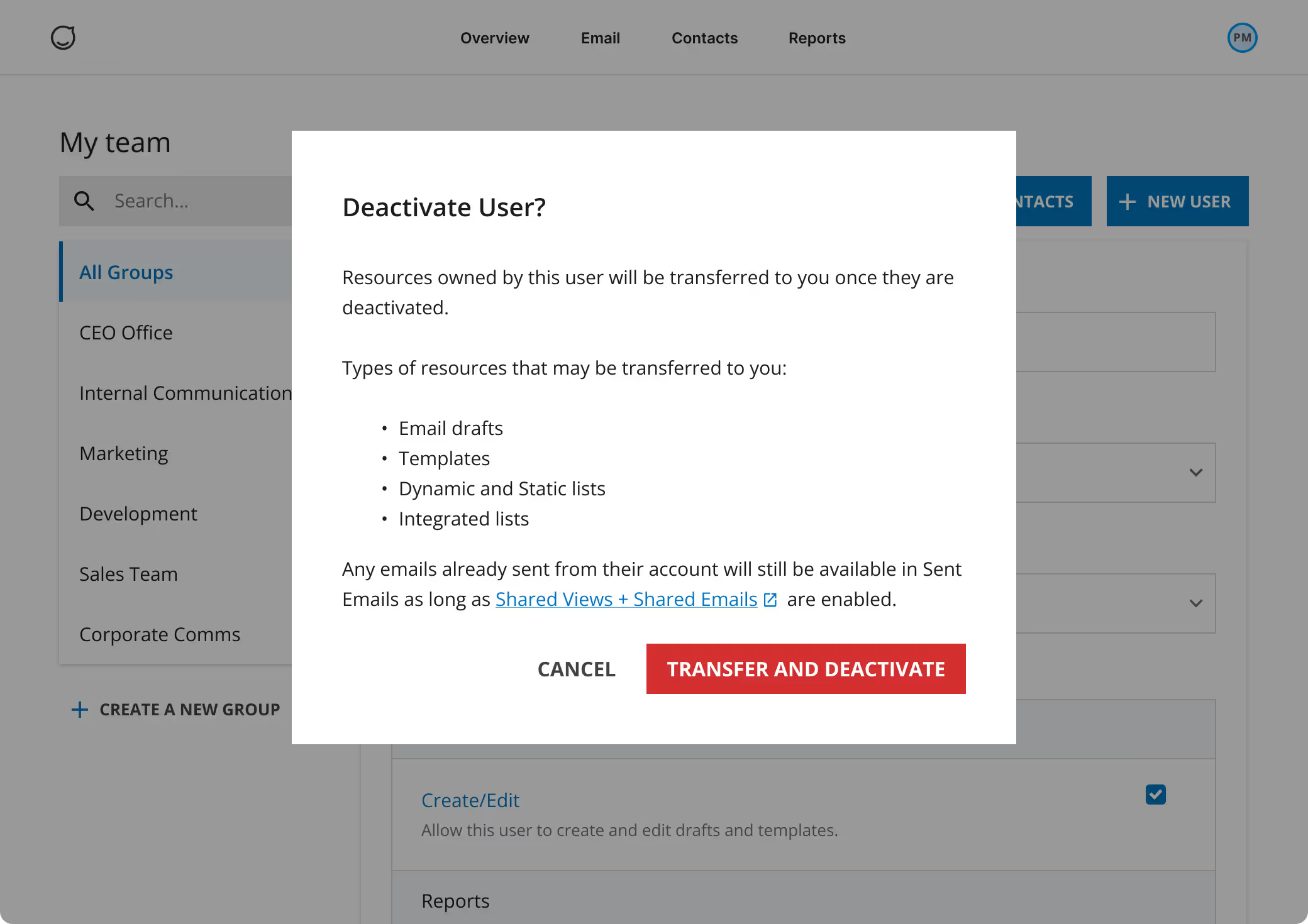
Ensure essential assets remain accessible by automatically transferring all resources owned by the deactivated user to the admin executing the deactivation.
The streamlined deactivation process significantly decreased the number of support requests related to user deactivations and resource recoveries.
Admin users gained greater autonomy while ensuring that their resources remain accessible, which is especially crucial for scheduled email communications.
The feature was released to production within a two-month timeframe, thanks to ongoing collaboration with stakeholders and the engineering team.
When an Admin user deactivates another user, a confirmation will display to let them know that resources owned by the user will be transferred to the Admin to ensure resources stay accessible to other users.
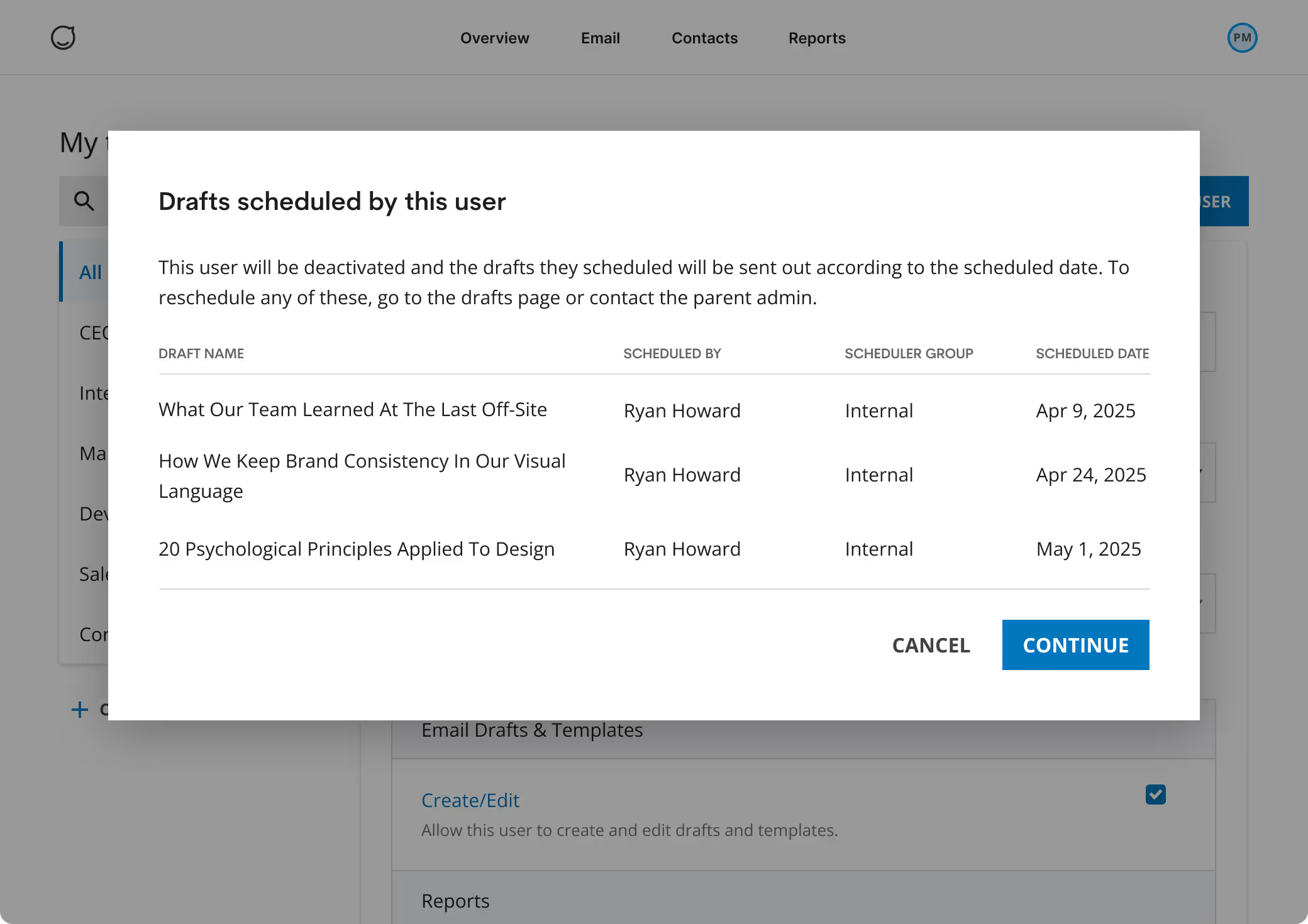
Admins are notified of any upcoming emails scheduled by the user being deactivated. This visibility empowers them to proactively manage and oversee the organization’s communications, ensuring that essential adjustments can be made as needed to maintain seamless workflows.
While the solution significantly enhances the user management system, insights from user interviews indicated a strong interest in increasing resource flexibility. The designs below have been created to support future enhancements if the project is reprioritized.
Admins are notified of any upcoming emails scheduled by the user being deactivated. This visibility empowers them to proactively manage and oversee the organization’s communications, ensuring that essential adjustments can be made as needed to maintain seamless workflows.
Pain points:
- Requires customer support assistance: Users cannot deactivate accounts themselves, requests must go through the account manager.
- Inaccessible shared resources: When a user is deactivated, all resources (i.e. templates, drafts, lists) they own become inaccessible, even if shared with others in the organization.
These inefficiencies hindered productivity of our end users and increased requests to customer support.
To uncover the root cause, I discussed the issue with the engineering team:
- Each resource in the database is linked to an owner ID, defaulting to the user who created it.
- When that user becomes deactivated, that piece of resource cannot be surfaced since it is tied to that user.
- Removing the owner ID from the database is complex and could require a system overhaul, increasing the project’s scope.
.avif)
.avif)