Role:
Product Designer
Team:
Product Manager, Engineers, Data Scientist, and QA
Employee Email Tool
SaaS
B2B
End-to-End Design
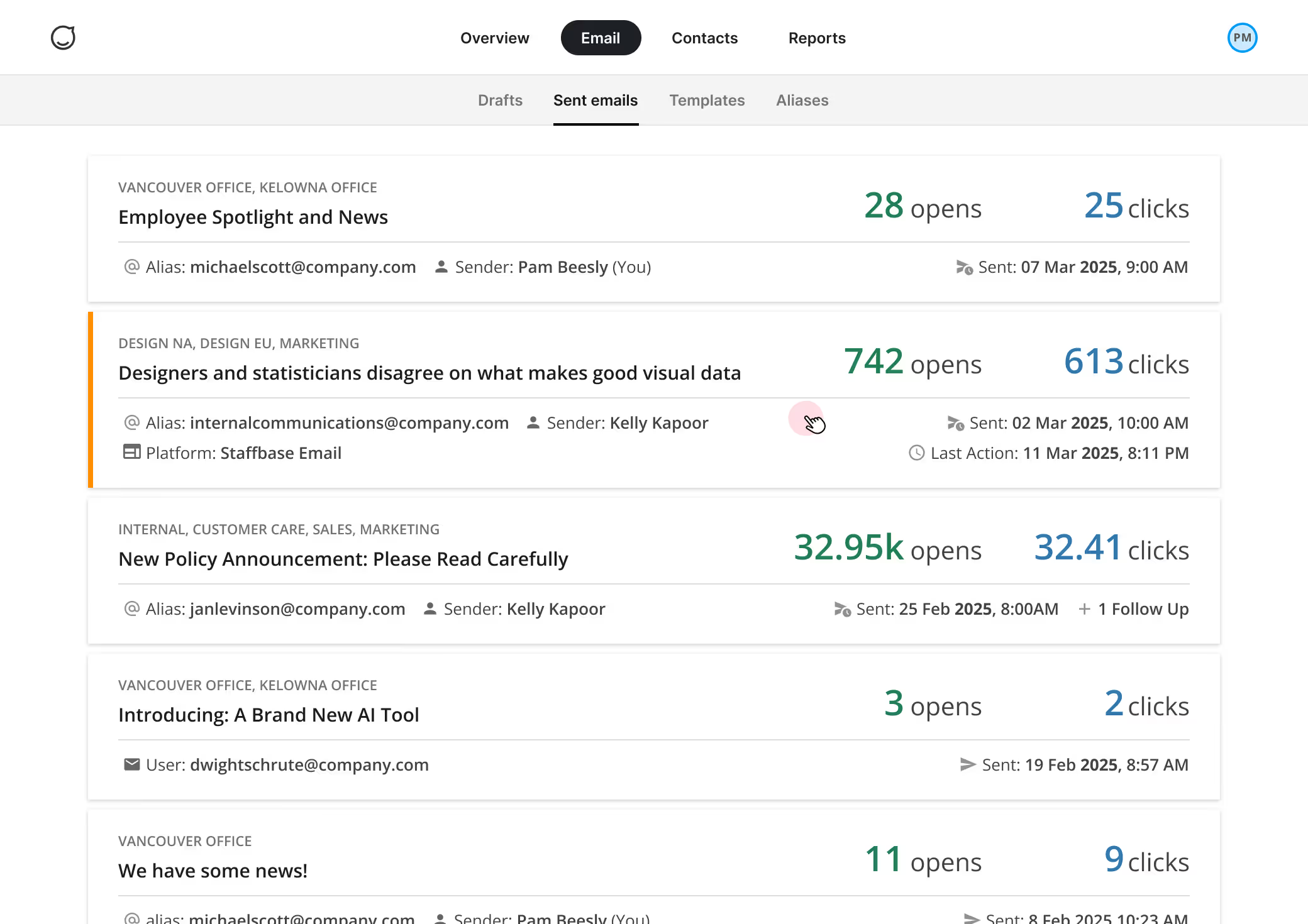
Validated prior research with user and stakeholder interviews, redesigned core flows from synthesized insights, and conducted usability testing. As the independent design lead for this project, I collaborated cross-functionally and presented to the design team for feedback and alignment across product areas.
In large organizations, the process of sending internal company emails requires collaboration among multiple people, from ideation to execution. Internal communications teams also need to measure the effectiveness of company notices.
While the product aims to enhance internal communication, the collaborative aspects of sending emails and viewing metrics became inefficient when involving multiple users, leading to support requests, decreased productivity, and fragmented email metrics.
Created a system for email aliases that can be shared, enabling users to send emails from different addresses.
Improved access to relevant email metrics by leveraging existing user permissions and sharing frameworks.
Reduced user interactions by ~30% by redesigning how internal communicators send emails through shared aliases.
Decreased support requests and churn risk by improving the collaboration experience for email communications.
To send an email from a specific address, users need to navigate to the Team page and log in as that "user" if their account allows for that, if not then they'll need to log out of their account and manually log in with the credentials of that user.
.avif)
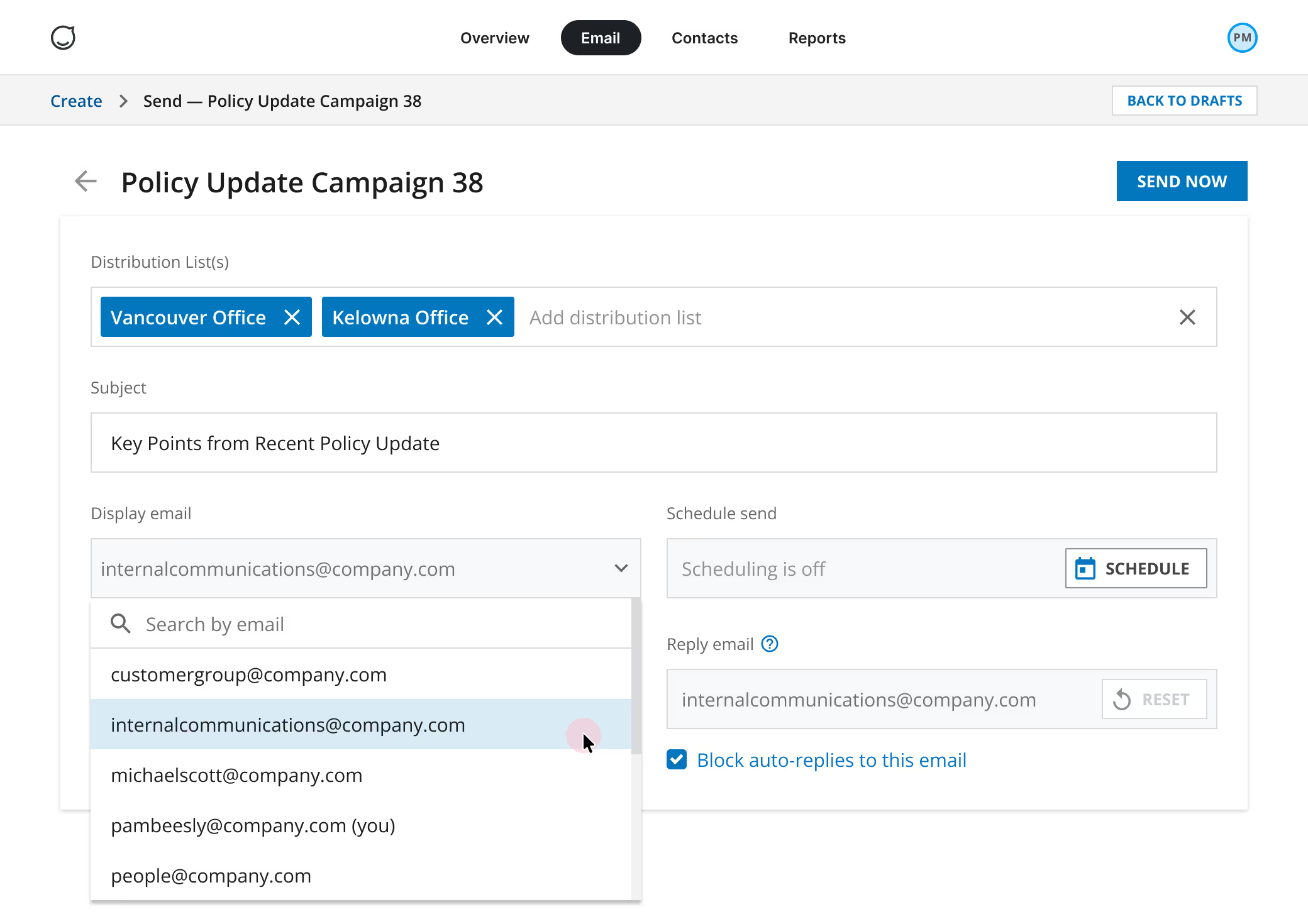
The process of navigating to the Team page is removed, the internal communicator will select the alias (sender email address) directly on the Email Preview/Send page instead.
.avif)
To streamline the process of sending company emails and reduce the number of steps involved in using an email alias, internal communicators can now select from a dropdown menu of all accessible email addresses. Previously, each user account was limited to a single email address, requiring internal comms members to either access the Teams page or manually log in with the credentials of the desired account as a workaround.
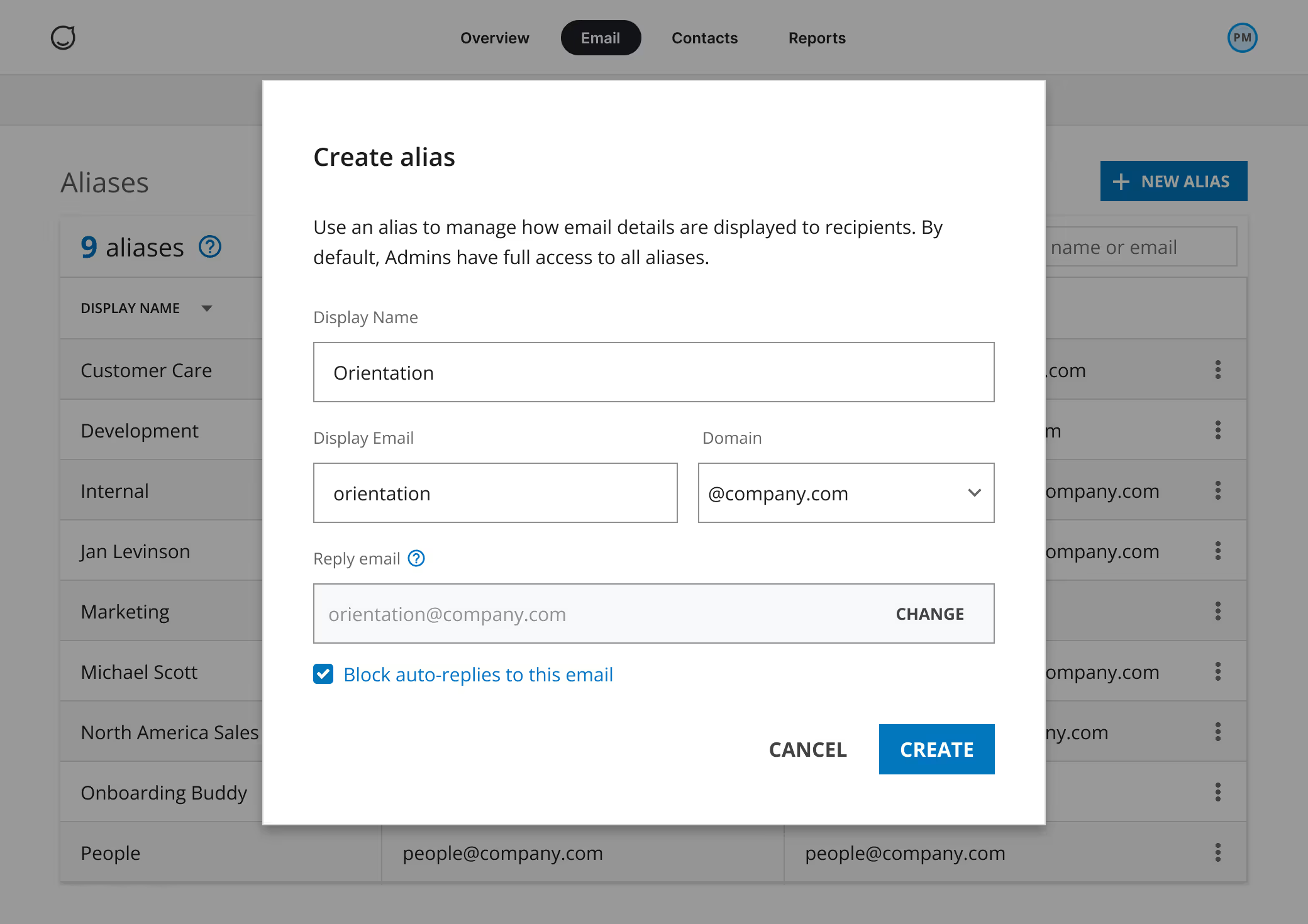
To reduce friction in the process of sending emails from different addresses, aliases are established as distinct entities, replacing the prior method of creating them as "users." This enhancement empowers users to share access to aliases, creating a seamless experience when collaborating on internal communications.
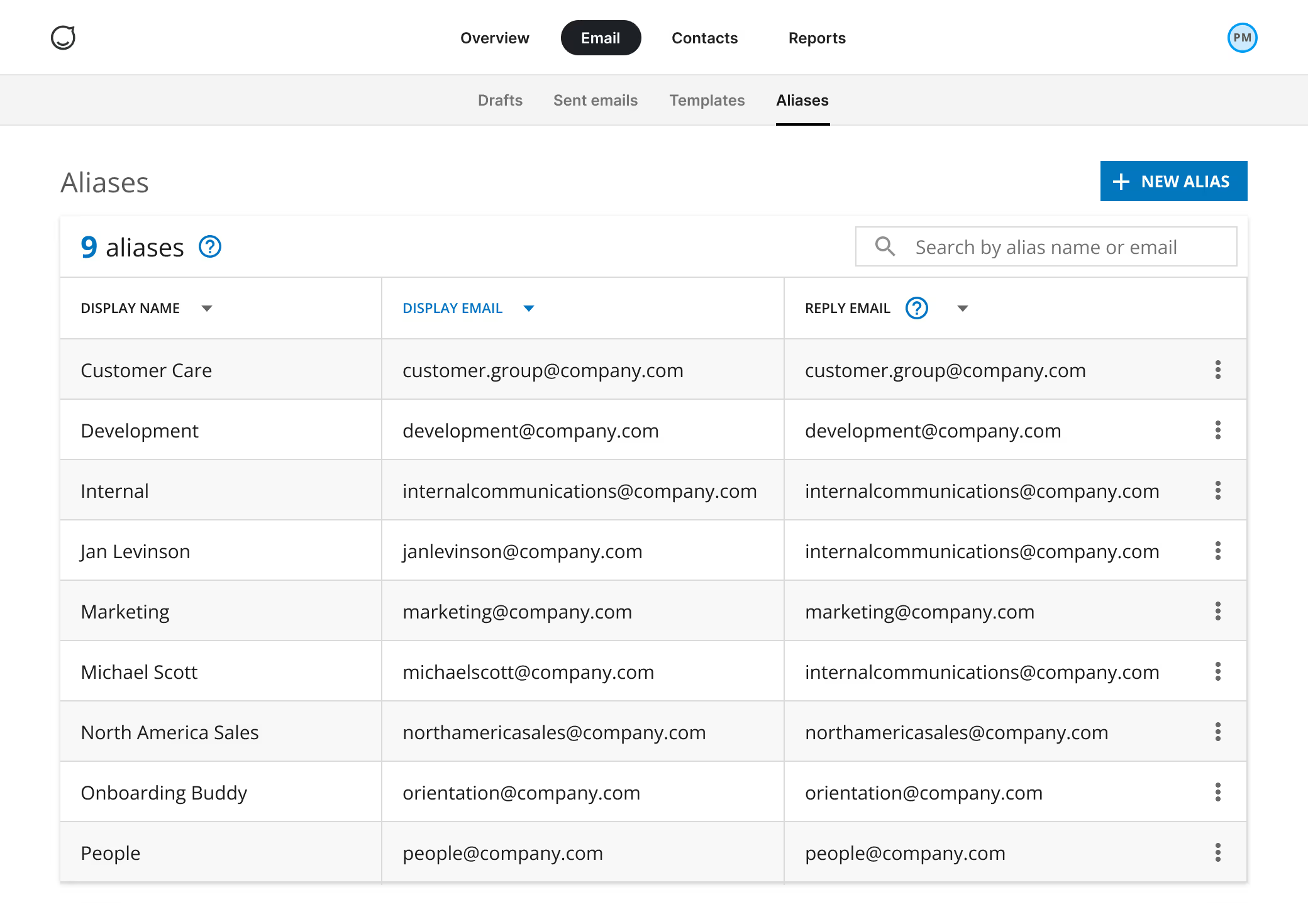
Users with the admin role can create and share aliases as needed through a simple process. As a result, internal communications team members can seamlessly utilize relevant email aliases for their projects, granting them greater autonomy, crucial for sending timely email communications.
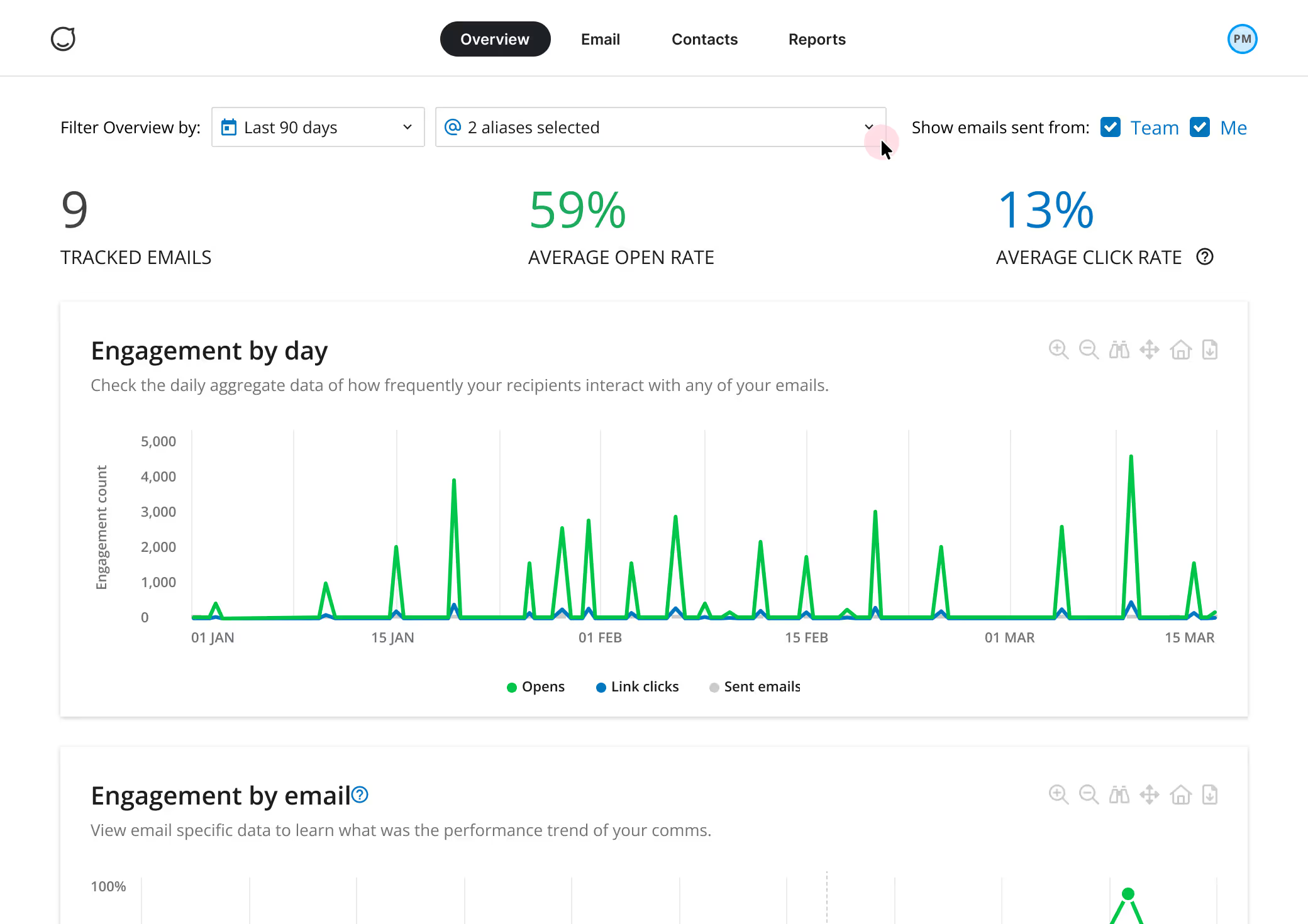
Users with permission to view email metrics can select any or all aliases from the new dropdown menu to assess their performance over time. Internal communicators often like to compare the email metrics of communications sent by themselves and their teams.